

USB-C Hubs for OEM and Bulk Procurement
BespokeCable prepares custom USB-C hubs for OEM, mobile-workforce, and device-integration programs. The live inventory contains a four-port USB-C hub and a row whose source name includes PD. The first is evidence of a multiport form; the second is only evidence of its label. Neither row, by itself, verifies a particular USB generation, video function, charging direction, or Power Delivery profile.
Begin with the host model and the documentation for the USB-C port used. Define the downstream connector mix and state the role of every USB-C receptacle: data, a requested power function, or another function subject to confirmation. If video Alternate Mode, host charging, or simultaneous data and power are required, list them separately and treat them as unverified until the exact controller, cable, and sample demonstrate the behavior.
Connected devices share resources within the approved design. Provide the simultaneous-use case, peripheral load, operating systems, and any charger or supply proposed for evaluation. Avoid publishing pass-through, charging, or headline transfer claims from connector shape or a PD label.
We can review captive-cable routing, enclosure dimensions, connector orientation, color, labels, and packaging after you approve the functional matrix. Send drawings and design records where available, or clear photographs of every face and model label. Send your USB-C hub requirements and unresolved power questions for review.
USB-C Hub Configuration Options

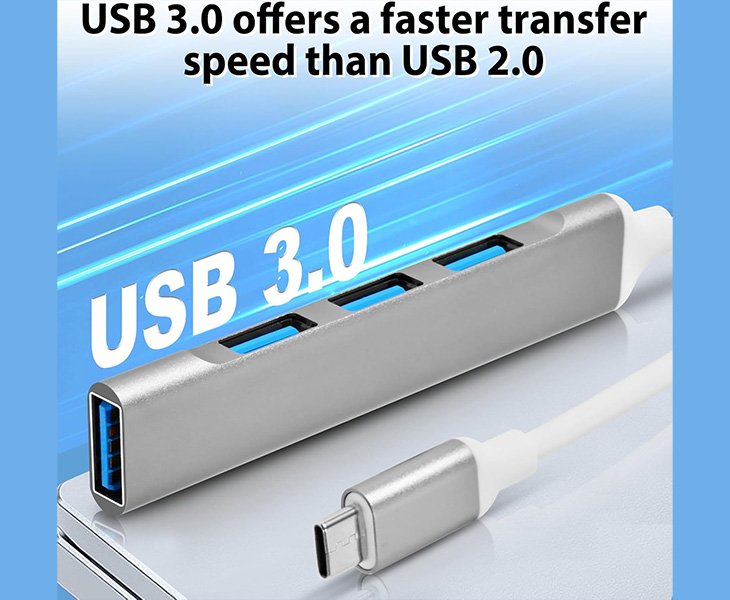
Use this row as a four-port USB-C host-expansion candidate, not as a complete port specification. Confirm the downstream connector mix, data roles, required USB generation, simultaneous devices, captive-cable orientation, and whether the approved design is data-only.
No detailed destination was verified, so keep Product Link empty. Send the host models, desired port map, workload, enclosure constraints, and quantity through the inquiry popup.

The source name includes PD, but its function and direction are unverified. We can’t describe it as pass-through, host charging, or downstream charging until the design specifies the power-role logic, supported behavior, connector path, and cable requirements.
Product Link stays blank because no detail page was confirmed. Use the inquiry popup to provide the host, proposed charger and cable, attached devices, required power outcome, and acceptance test.
Confirm the Host Port's Data Role
Identify the exact USB-C port on each host and use its documentation to establish the required data capability. A reversible connector does not disclose protocol generation, host role, or optional functions. Keep unknown capabilities marked for sample verification instead of converting them into sales claims.


Assign One Role to Every USB-C Receptacle
For each downstream USB-C port, record whether data is mandatory, a power function is requested, or both must be investigated. List any non-USB-C downstream connectors separately. A clear role map prevents a connector from being advertised with video or charging behavior that the selected electronics don’t support.
Treat the PD Label as an Open Question
The PD-labeled source row does not establish direction, profiles, or pass-through. Request the drawing, controller definition, and measured behavior before specifying a charger or host-charging result. Until then, describe PD as a source label requiring verification, not as a finished-product capability.


Test Data and Power Events Together
If the approved design includes a power function, test connection, load changes, and recovery while the required peripherals are active. Record the charger, cable, host, operating system, and device set. This exposes failures that a data-only check or an unloaded charging check would miss.
Lock the Cable, Controller and Role Map
Release the approved upstream cable, controller, firmware, port-role table, and any verified power behavior as one revision. Our quality-control process can follow the drawing and inspection plan, while changes affecting data, power, or compatibility require the agreed requalification.
No. Confirm the host model, exact USB-C port, operating system, and documented data capability. Ports with the same shape can expose different functions, so sample approval must use the intended host rather than connector fit alone.
No. The label does not establish direction, profiles, host charging, or pass-through. Verify the controller, power path, cable, and measured behavior with the proposed charger and host before using any of those terms in the specification.
Use an approved schematic or role map, exact controller and power-device information, cable definition, and a test record identifying the source, sink, and negotiated behavior. A photograph or marketplace-style product name is not sufficient evidence.
Only if that combined role is supported and verified on the selected design. State the attached device, required direction, and simultaneous behavior, then test it with the approved host, cable, and power source.
The available inventory evidence does not verify it. A video requirement needs the host’s supported mode, a defined display path, controller evidence, and a tested operating mode. Do not infer video from USB-C alone.
The complete data and any verified power path include the cable. Record its construction, length, and markings, then test the approved cable with the named host and workload instead of assuming every USB-C cable behaves identically.
That is a commercial and technical decision for the verified configuration. Identify the approved source, regional plug and cable, or state that no charger is supplied. Packaging must not imply compatibility with an unapproved source.
Use the named host, operating system, devices, cable, and any approved source. Define the connection sequence, then verify enumeration and required operation after sleep, wake, source removal, and reconnection under the intended workload.
Only a verified design and test can establish that behavior. Provide the host, charger, cable, peripheral load, and required operating state. Until the result is documented, keep host charging and simultaneous data as open requirements.
Send host and charger models, cable markings, every attached device, the expected power direction, required data functions, and the connection sequence. Include quantity and enclosure needs, but keep unresolved profiles or ratings marked for engineering confirmation.
How to Specify a USB-C Hub Without Assuming Its Power Functions
USB-C simplifies connector orientation, but it does not make every port functionally identical. A host may expose different data capabilities through ports that look the same, and a hub receptacle may be assigned to data, a verified power role, or another model-specific function. The source inventory here contains a four-port row and a PD-labeled row, neither of which is a complete specification.
The PD label deserves special care. It does not prove pass-through, charging direction, supported profiles, or the amount of power available after hub consumption. A defensible RFQ keeps those questions open until the exact electronics, cable, and test setup provide evidence.
1. Identify the Host and Exact USB-C Port
Provide the host manufacturer, model, operating-system version, and the specific USB-C port used. If the host has several USB-C ports, identify the physical location and documentation for the chosen one. Do not assume each port exposes the same data or optional functions.
State the normal user workflow and whether the hub is attached permanently, carried between systems, or supplied in a kit. Host selection and deployment context determine the qualification matrix.
2. Confirm the Required Data Protocol and Role
Record the USB protocol needed for the application and whether the host port is expected to act as the upstream data connection. Connector shape does not establish USB generation, USB4, Thunderbolt, or any other capability. Keep the requirement within what the selected host and hub design can document and test.
Where the protocol remains unknown, list the devices and workload instead of inserting a guessed headline rate. Engineering can then identify what evidence is still required.
3. Map Every Downstream Connector
Create one row per downstream port with connector type, data role, required device, and simultaneous-use status. For the four-port source row, confirm whether all four connectors are the same and whether any have a special assignment. Product photography cannot reliably answer those questions.
If a downstream USB-C receptacle is present, state whether data is mandatory and whether any power function is requested. Do not merge the two requirements into one generic USB-C capability.
4. Keep Optional Video Functions Out Unless Verified
USB-C can be used in products that support video Alternate Mode, but that possibility is not evidence that these hub rows provide video. If the application requires a display output, identify the host graphics capability, display path, and operating mode, then confirm the selected controller and physical port map.
Without that evidence, keep the page focused on verified data-expansion requirements. This prevents a general USB-C statement from becoming an unsupported model claim.
5. Resolve the PD-Labeled Row’s Actual Function
Request the drawing, controller, or power-device definition and cable path for the PD-labeled USB-C hub row. Determine whether power enters the hub, reaches the host, serves a downstream connector, or performs another documented role. Record source and sink direction explicitly.
Do not use pass-through language until the design and sample prove that behavior. The supported profiles, charger conditions, and response to an unsupported source also remain model-specific.
6. Build a Power Budget Only After Verification
If a power function is confirmed, list the proposed charger or supply, cable, host-charging requirement, and attached-device load. Separate the source rating, hub consumption, and power delivered at each required output. Define what the system should do when the source is absent, changed, or reconnected.
For a data-only configuration, say so and omit charging claims. A simpler boundary is preferable to suggesting an unverified feature.
7. Specify the Upstream Cable and Mechanics
Provide captive-cable length, connector orientation, bend clearance, strain relief, and any removable-cable requirement. Cable construction can affect the complete path, so qualify the exact cable supplied with or approved for the hub rather than relying on the USB-C connector alone.
Also provide enclosure dimensions, port spacing, label area, mounting or anti-slip needs, and the installed cable route. Confirm that adjacent connectors remain accessible under the real setup.
8. Test Simultaneous Data and Power Events
Use the named host, operating system, peripherals, charger, and cable. Check enumeration, sustained simultaneous use, reconnection, sleep, wake, and restart. If power behavior is part of the approved design, repeat the required workflow while connecting or removing the approved source under the defined sequence.
Record observable pass criteria and any dependency on connection order. A successful data-only test does not establish charging, and an unloaded power check does not establish peripheral operation.
9. Control Controller, Firmware and Role Changes
Freeze the controller, power devices, firmware, PCB, upstream cable, port-role map, and enclosure with the accepted sample. Require review before substitution because a visually identical revision can change enumeration, available functions, or power behavior.
Labels and instructions must follow the verified revision. Remove or revise any PD wording if the released design does not support the intended function.
10. Submit a USB-C Hub RFQ
| RFQ area | Required information |
|---|---|
| Host | Model, OS, exact USB-C port and documented capabilities |
| Data | Required USB protocol, devices, and simultaneous workload |
| Port map | Connector-by-connector role and mandatory functions |
| PD question | Requested direction and evidence still required |
| Power test | Charger, cable, host target, device load and event sequence |
| Mechanics | Cable, enclosure, orientation, clearance and labels |
| Commercial | Sample quantity, order mix, packaging and schedule |
If a full design record is unavailable, send the physical sample, photographs of every port and label, host and charger models, cable markings, and the expected outcome. The unknowns can then be listed without presenting PD or video as confirmed. Send your USB-C hub configuration for review.

